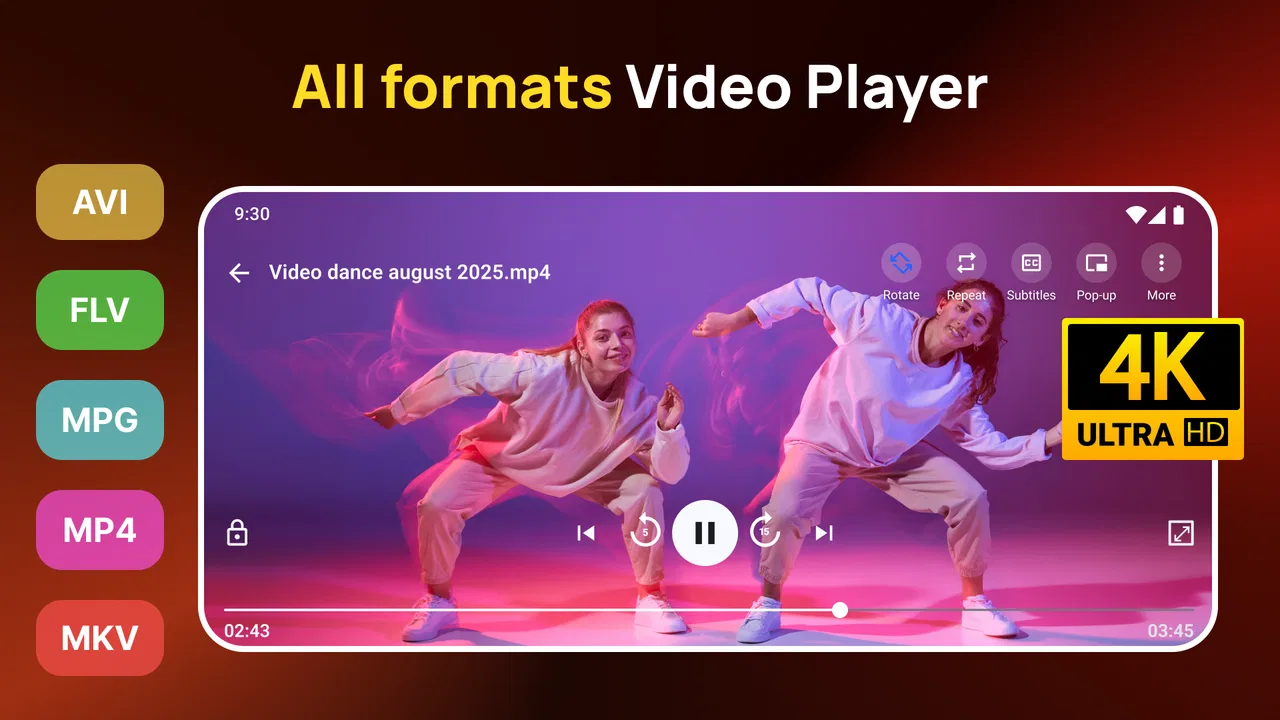
All Video Player Media Player
- 4.3
- Rating
- 10.00M
- Installs
- Free
- Price

 Analysis by App-foxy
I spent time with All Video Player Media Player as a straightforward way to handle video and music on an Android phone. It belongs to the video players and editors category, although its practical role is much narrower than a full editing suite: it is mainly about opening media, watching it comfortably, and keeping playback in one place. The app is developed by Prometheus Interactive LLC, and its simple purpose is also its main appeal. If your phone’s default player struggles with certain files or feels too limited for everyday viewing, this is the kind of alternative worth testing.
What stood out to me is that the app does not try to turn a basic viewing task into a complicated project. I could approach it as a utility rather than something I needed to learn. That matters when I am trying to watch a downloaded clip, review a recording, or listen to music without jumping between several apps. At the same time, I would not describe it as a replacement for a dedicated editor, a streaming subscription, or a carefully organized media library. Its value depends heavily on whether you want broad playback convenience or a more advanced media experience.
How All Video Player Media Player fits into everyday playback
The store’s short description calls it “All Video Player,” while the longer summary focuses on smoother video playback and music listening. In practical terms, I see it as a general-purpose media player for people who want one app to cover common video and audio moments. That can include watching a clip saved on a phone, checking a video received from someone else, or playing music when the default application is not handling the file in the way you prefer.
You May Also Like

 Blood Strike: 2.5 Anniversary
Blood Strike’s Loadouts Turn Every Drop Into a Tactical Gamble
A close look at Blood Strike’s custom loadouts: how fast access to signature weapons reshapes its battle royale rhythm, rewards preparation, and narrows the gap between fights.

 Pandora - Music & Podcasts
Pandora’s Music Is Easy to Start, but Harder to Recover
Pandora’s strength is its low-effort path from a seed to a station. Its weak spot is how much confidence it asks you to place in connection, setup, and quiet recovery.

 8 Ball Pool
 Is Built on Rivalries, Rematches, and Routine
A close look at the rivalries, rematches, shared routines, and unanswered safety questions that turn a quick pool match into a persistent mobile community.

 Samsung Music
’s Quiet Strength Is Playing What You Already Own
Its reach comes less from spectacle than from dependable access to a personal library. That simplicity is both the app’s strongest retention engine and its ceiling.

 AccuWeather: Weather Radar
AccuWeather Review: A Quick, Clear Forecast for Everyday Decisions
For everyday plans, the best forecast is the one you can understand quickly. AccuWeather makes rain timing, radar, and local conditions easy to act on, with a few trade-offs.

 Hill Climb Racing
Why Hill Climb Racing Still Turns Crashes Into One More Run
A tiny car, a bumpy hill and one more upgrade: Hill Climb Racing keeps resurfacing because its simple chaos makes every near-miss feel personal.
More From Our News Desk



The word “all” should be treated as a description of ambition rather than a promise that every possible file, codec, device, or unusual format will behave perfectly. Playback depends on the phone, the operating system, the media file, and the way that file was created. My recommendation is to judge it against the files you actually use. A player that works well for your personal collection is more useful than one that sounds universal but does not suit your routine.
It runs on Android devices using version 5.0 or later, which gives it a broad compatibility range for phones that are not on the newest software. That is useful if you are keeping an older handset as a media device or if you do not upgrade frequently. Newer phones may provide better performance overall, but the minimum requirement makes the app accessible to a wide range of Android users.
The app is free to install, and that changes the decision considerably. I could try it without committing money first, which is exactly what I want from a player whose usefulness depends on file compatibility and personal habits. There are in-app purchases ranging from $0.99 to $99.99 per item, so “free” should be understood as free access to the download rather than a guarantee that every possible option or upgrade is included without cost.
That pricing range is broad enough that I would avoid buying anything immediately. First, I would open the kinds of videos and music I normally use, test whether navigation feels comfortable, and see whether the free experience already solves the problem. If it does, spending money may not add enough value. If a paid option removes a specific annoyance that affects me regularly, the purchase can be considered on that basis rather than as a general vote of confidence.
Its age rating is Everyone, which makes the app approachable for general household use. That rating describes the app’s intended content level, not the content of every video a person may open with it. A player can display user-provided or downloaded media, so I would still use normal judgment about the files being watched, especially on a shared family device.
What I liked about the basic workflow
The strongest part of this kind of app is the short path between deciding to watch something and actually watching it. I prefer not to import a file into an editor, create a project, or move it through several menus just to view it. A dedicated player keeps that process focused. For a quick check of a recording, a saved lesson, or a personal video, that simplicity can be more valuable than a long list of advanced tools.
I also found the combined video and music purpose convenient. I do not need one application for clips and another for audio when my needs are modest. That does not make it a complete music-management solution, but it can reduce clutter for someone who wants a single playback destination. The trade-off is that a specialist music app may still feel better for playlists, discovery, synchronized libraries, or other music-first tasks.
A useful habit is to test the app with several real examples instead of one short clip. I would use a longer video, a file recorded on the phone, and at least one item that has previously caused trouble in another player. This quickly reveals whether the app fits my collection. It is also more informative than relying on the name “All Video Player,” because media compatibility is often specific to the file and device combination.
Another practical tip is to use it as a second opinion rather than immediately replacing the default player. If the built-in option already handles everything I watch, there may be little reason to change. But when a particular file refuses to open, audio behaves oddly, or the default app makes me search through unrelated services, having this player installed gives me a quick alternative. That limited role can still justify keeping it on the phone.
Where the free access creates real value
The free installation lowers the risk for occasional viewers. Someone who watches only a few locally stored videos each week can try the app, compare it with the phone’s built-in player, and keep it only if the experience is better. I consider that a fair value proposition because the decision is based on actual use rather than a promise that every feature will matter to everyone.
It is also a sensible experiment for people with older Android hardware. Since the app supports Android 5.0 and above, a user does not necessarily need a recent flagship phone just to test it. Of course, an older device may still have limits caused by its processor, storage, display, or the media itself. The operating-system requirement tells me the app is available to older software versions; it does not guarantee identical performance across every handset.
The app’s public reception suggests that many people find the general idea useful. It has a 4.4 average from roughly 41 thousand ratings, and it has passed 10 million installs. I read those figures as evidence of broad interest and a substantial user base, not as proof that it will solve every playback problem. A popular player can still be the wrong fit for a person who needs detailed subtitle controls, professional media inspection, editing tools, or a highly refined library system.
For me, the best free value appears in small, repeated situations. Imagine receiving a video in a messaging app, saving it locally, and wanting to inspect it later without searching through several applications. Or imagine using an older phone to watch downloaded material during a commute, where a simple player is preferable to a larger service-oriented app. In both cases, the app earns its place by reducing friction, not by replacing an entire entertainment ecosystem.
The compromises I would consider before relying on it
The first compromise is that a general player may not offer the depth of a specialist alternative. If I need precise subtitle styling, detailed playback controls, advanced audio handling, casting, library synchronization, or media conversion, I would compare this app carefully with established players designed around those priorities. The category label alone does not mean that it includes editing, encoding, or professional organization features.
The second issue is the meaning of smoother playback. That phrase is appealing, but smoothness is not controlled by the app alone. A demanding high-resolution file can challenge an older phone, and a damaged or poorly encoded file can behave badly in several players. I would not treat the app as a guaranteed fix for every stutter. Instead, I would use it to determine whether the original player was the source of the problem. If the same file fails in both, the file or device may be the more likely cause.
There is also a practical cost question. Since purchases can range from a small amount to a much larger one, I would want to understand exactly what a paid item changes before spending. The free entry point is attractive, but the upper end of the purchase range means the app should not be judged as though it were automatically a completely cost-free experience. For a casual viewer, an optional purchase may not be worthwhile at all. For a frequent user, it may be reasonable only when it addresses a clearly recurring need.
I would also be cautious about using it as my only media solution. A player is not necessarily a backup system, a cloud library, a file organizer, or an editor. I would keep important recordings stored safely elsewhere and avoid assuming that opening a file in the app protects it from accidental deletion or device failure. That is not a criticism unique to this application; it is an important distinction between playing media and managing media responsibly.
People who mainly stream content may gain less from it. If nearly everything I watch comes through subscription services or social platforms, a local media player may sit unused. Likewise, someone who edits videos for work would probably be better served by a dedicated editor with timeline tools, trimming controls, transitions, and export settings. This app makes more sense when the central question is “How can I play this file?” rather than “How can I produce or manage a finished video?”
Who is most likely to get value from it
I would recommend trying it to Android users who regularly handle local videos and want a second playback option. It is especially relevant if the default player feels unreliable, if different media types are scattered across several apps, or if an older phone needs a broadly compatible utility. The fact that it is free to install makes that trial easy, and the Everyone rating keeps the app approachable for general use.
It can also suit someone who wants a simple shared-device setup. A family tablet used for personal recordings, downloaded lessons, or music may benefit from having one recognizable player instead of several unrelated apps. I would still test the interface with the people who will actually use the device. A player that feels obvious to me may not be equally comfortable for a child, a parent, or someone who rarely changes applications.
On the other hand, I would tell power users to compare before settling. If your daily routine includes large libraries, unusual codecs, detailed subtitle work, external displays, synchronized playback positions, or serious audio organization, a more specialized player may deliver better value even if it is less simple. The same applies to creators: watching a finished file is not the same as cutting, correcting, exporting, or publishing it.
One of the more useful ways to evaluate it is to define a small test routine. I would open the files I watch most often, try moving between video and music, check how quickly I can return to a recently viewed item, and note whether any part of the interface interrupts the basic task. Then I would repeat the test after a few days rather than judging it after one installation. The right player should save time in regular use, not merely work once.
Version, support expectations, and long-term fit
The current version is 1.60.7, and the app has been available since January 16, 2017. That history helps explain why it has had time to build a sizeable audience, but it should not be mistaken for a promise about how every future update will behave. I would keep the application updated through the normal store process and reassess it if my phone’s operating system or media habits change.
The developer, Prometheus Interactive LLC, is clearly identified, which gives users a name to associate with maintenance and purchases. Still, my practical standard would remain the same: does the current version open the files I need, remain comfortable to use, and justify any optional spending? A recognizable developer is useful context, but day-to-day reliability matters more than the label.
It is worth remembering that a large install base does not remove the need for personal testing. Phones differ widely, and media files come from many sources. A recording made by one device may behave differently from a downloaded film, a screen capture, or a music file. I would therefore make my decision based on my own collection, especially before relying on the app for travel, school, or work.
My buy-or-skip recommendation
My recommendation is to try the free version first, with a clear reason for installing it. If you need a convenient Android player for local videos and music, it is a sensible low-risk experiment. Its broad device availability, general-purpose focus, and large user base make it worth a look, particularly when the default player is not enough. I would keep it if it consistently handles the files that matter to me and makes playback quicker.
I would skip it if I am searching for a full video editor, a premium streaming service, a sophisticated music library, or a professional media-management tool. Those needs call for a different kind of application. I would also avoid paying for an optional item until I know precisely what problem it solves in my own workflow. The purchase range makes careful evaluation more important than impulse buying.
Overall, All Video Player Media Player is at its best as a practical backup or everyday local player rather than an all-purpose media studio. I like that I can test it without an upfront purchase, and I appreciate the possibility of keeping video and music playback together. Its limitations are just as important: compatibility can vary, advanced needs may require another app, and paid value depends on the specific upgrade offered. For a reader with ordinary playback needs, I would install it, run a personal file test, and decide from there.
FAQs for All Video Player Media Player
01What types of video formats does All Video Player Media Player support?
All Video Player Media Player supports a wide range of video formats, including MP4, AVI, MKV, and MOV. This versatility ensures that users can play almost any video file without needing to convert formats, providing a seamless viewing experience across different devices.
02Is All Video Player Media Player free to use, or does it offer in-app purchases?
The app is free to download and offers basic functionality at no cost. However, it includes optional in-app purchases for advanced features and an ad-free experience. These purchases allow users to unlock additional capabilities and enhance their media playback experience.
03Does All Video Player Media Player offer subtitle support?
Yes, the app supports various subtitle formats, including SRT and SSA. Users can easily load and manage subtitles, adjusting font size, color, and synchronization to match their viewing preferences, making it an excellent choice for foreign language films and content.
04Can I use All Video Player Media Player to stream online content?
The app allows users to stream online content through direct URL input. It supports streaming from popular online platforms, providing a convenient solution for users who want to access and enjoy media content from the web without downloading.
05Is All Video Player Media Player compatible with both Android and iOS devices?
Yes, All Video Player Media Player is available for both Android and iOS devices. This cross-platform compatibility ensures that users can enjoy a consistent media playback experience, whether they're using a smartphone, tablet, or any other supported device.
Pros
- Supports a wide range of video formats.
- Easy-to-navigate user interface.
- Includes subtitle support and customization.
- Offers HD video playback without lag.
- Minimal ad interference during playback.
Cons
- Limited audio enhancement options.
- No cloud storage integration.
- Requires frequent updates for stability.
- Some features locked behind a paywall.
- Lacks advanced customization options.

All Video Player Media Player
Gallery